

For vacation rental and short-term rental hosts

One AI inbox for every channel, on your own number.

Airbnb, VRBO and Booking.com messages, direct bookings, texts, phone calls, email and web chat land in one thread per guest. GuestKie drafts the reply. You approve it.

Free guest manual for unlimited properties. Core is $10/month per bookable property; Branded, with your own number and domain, is $20.

  • Airbnbvia Hospitable
  • VRBOvia Hospitable
  • Booking.comvia Hospitable
  • Direct bookingyour own site
  • Text messagesyour GuestKie number
  • Phone callsscreened, transcribed
  • Emailreplies stay threaded
  • Web chaton your guest manual
GuestKie inbox: a guest list with Airbnb, web chat and SMS badges, an open thread with an AI draft reply, and the reservation panel with check-in, check-out and party size.

The AI writes the first draft. You decide what gets sent.

Replies are drafted from your listing, your guest manual and the whole conversation. Pick manual approval, auto-send, or auto-send after a delay.

  • One thread per guest, whichever channel they used
  • Reply on the channel the guest used, or switch to text or email
  • Situation playbooks for early check-in, refunds and lockouts, tried on a test bench first
  • Every AI action is logged and reversible
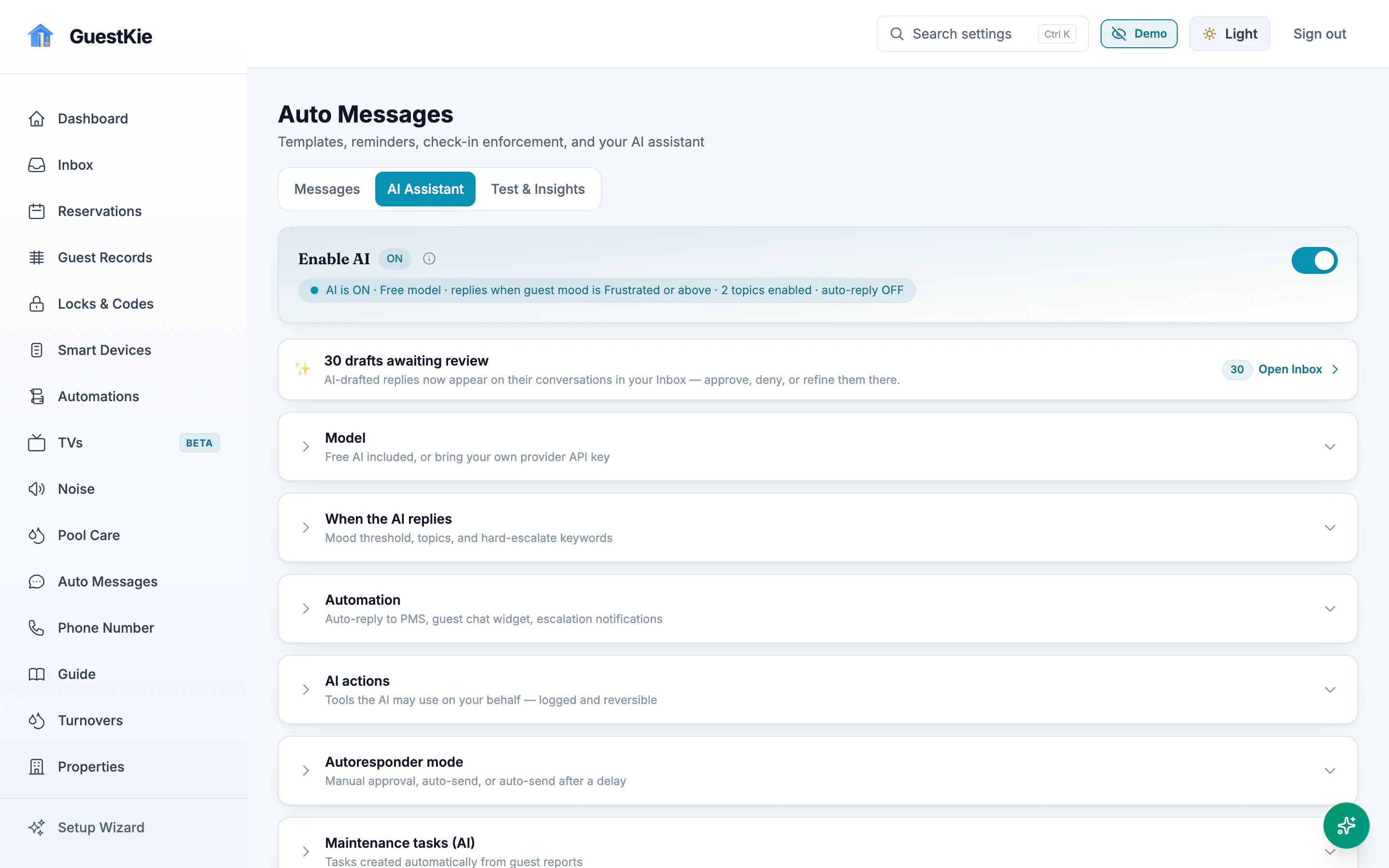
AI assistant status: AI is on, and 30 drafts are awaiting review in the inbox.
AI assistant settings: model, when the AI replies, automation, AI actions, autoresponder mode and maintenance tasks.
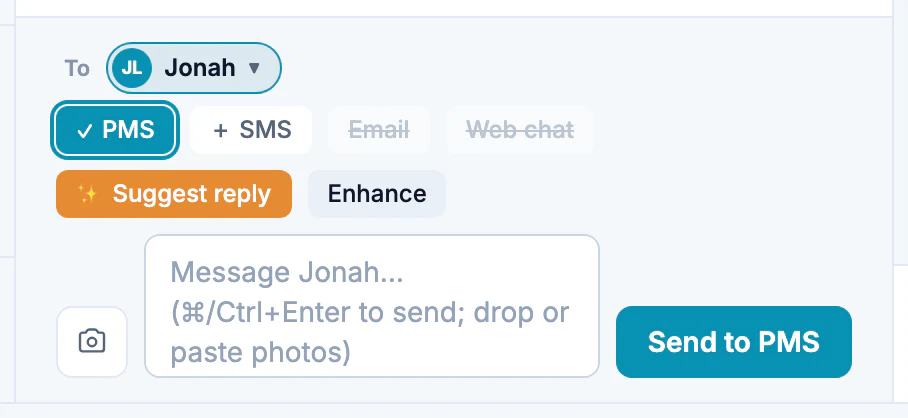
Reply composer with channel choices (PMS, SMS, email, web chat) and a Suggest reply button.
Pick the channel, ask for a suggestion, send.

Your team sees it in Slack or Discord, too.

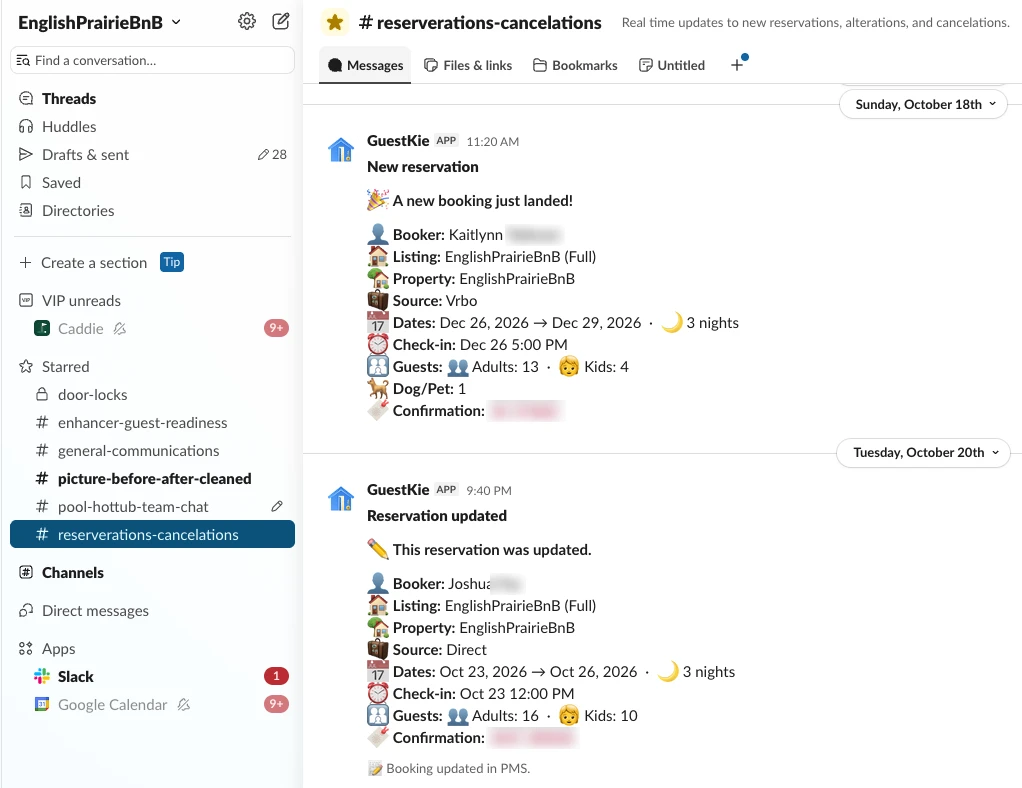
Slack workspace for the property: a reservations channel where the GuestKie app posts a new reservation and a reservation update, each with booker, listing, source, dates, check-in time, guest counts and confirmation.
Every new booking, change and cancellation posts to your team's Slack or Discord in real time.
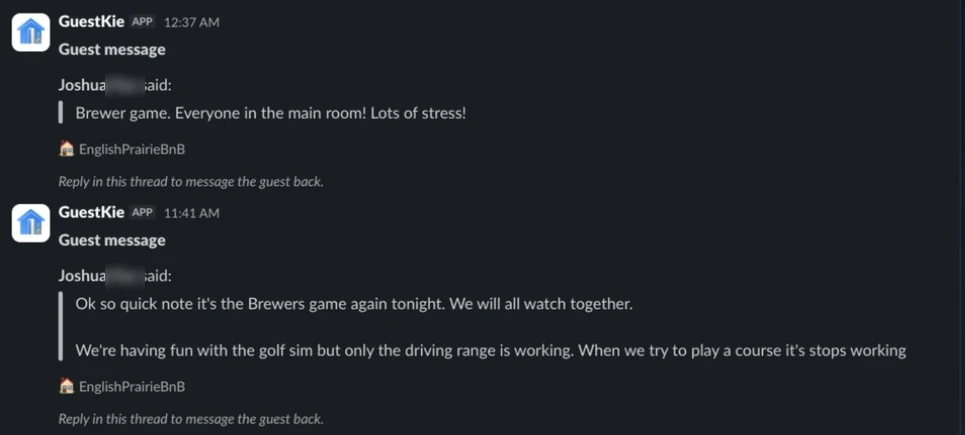
Slack channel with two guest web-chat messages posted by the GuestKie app, each with the property name and the note: Reply in this thread to message the guest back.
Guest web-chat messages post to Slack. Reply in the thread and it goes back to the guest.

Every adult, not just the booker

You know who it is before you answer.

Airbnb and your PMS only know the booker. Everyone else in the house is a stranger on your phone. Require registration for every adult and each one becomes a known contact: when any of them calls, texts or emails, GuestKie knows the person, the reservation and the property, and files it in that stay’s thread. Known guests ring straight through without screening, and you can answer like you already know them, because you do.

Verified guests before anyone gets in.

Every adult on the reservation registers before arrival. You choose how they prove who they are. Door codes and in-manual unlock stay off until registration and the Compliance Hold are complete.

Your verification policy

Apply it to every adult or the booker only, and override it per reservation. Two adults on one booking can never share a phone or email.

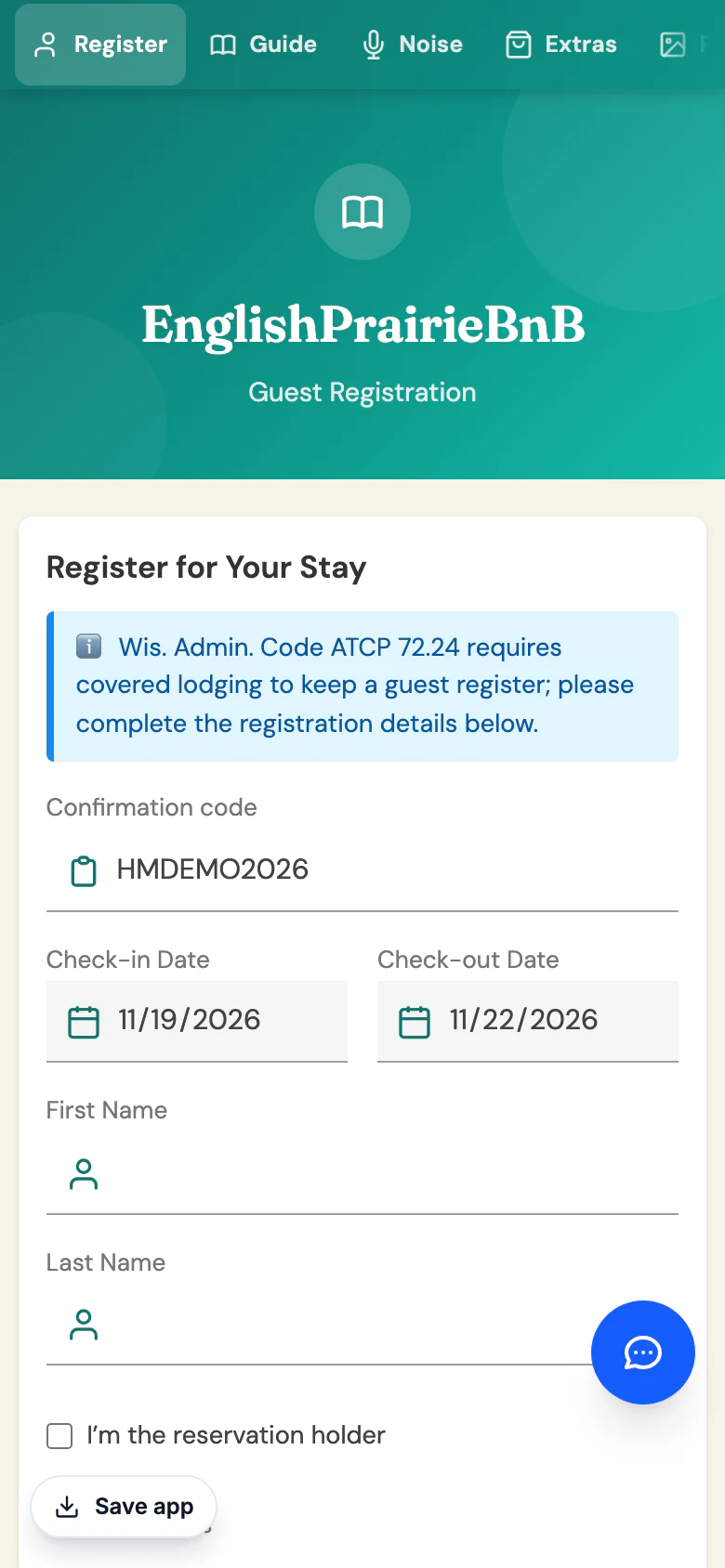
  1. Guest registration form on the guest's phone: reservation, dates, name, home address.

    1 Register. Name, address, phone and email for each adult.

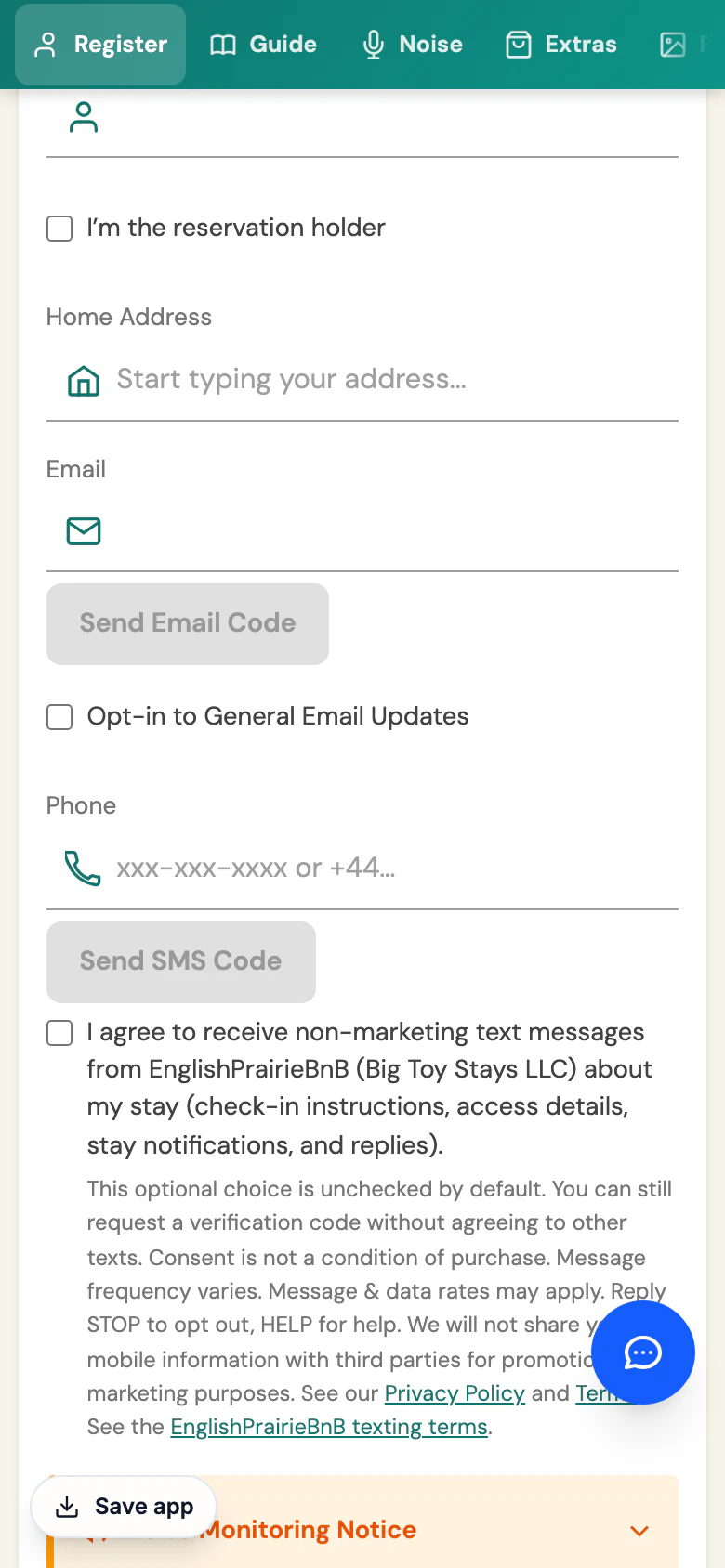
  2. Verification step: the guest requests an email code and an SMS code.

    2 Verify contact. A code to a phone and an email no one else on the booking uses.

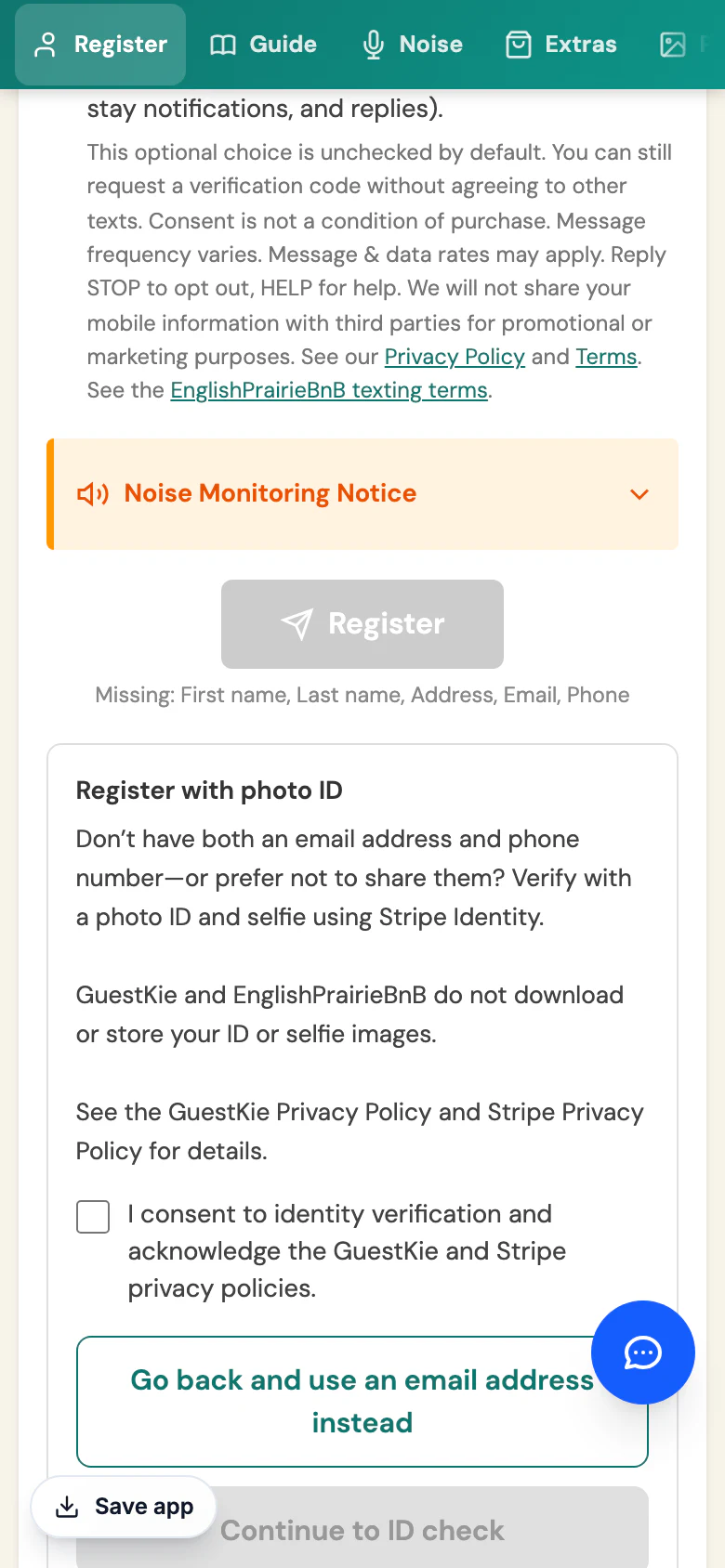
  3. Register with photo ID panel: verify with a photo ID and selfie through GuestKie's identity provider; GuestKie and the host do not download or store the ID or selfie images; consent checkbox and Continue to ID check button.

    3 Photo ID option. The guest consents to an ID check instead of, or as well as, contact codes.

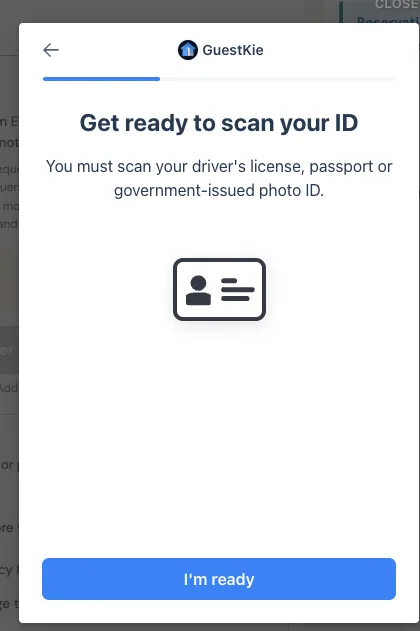
  4. Identity provider screen branded GuestKie: get ready to scan your driver's license, passport or government-issued photo ID, with an I'm ready button.

    4 ID check. Government ID + selfie through our identity provider, when your policy allows it.

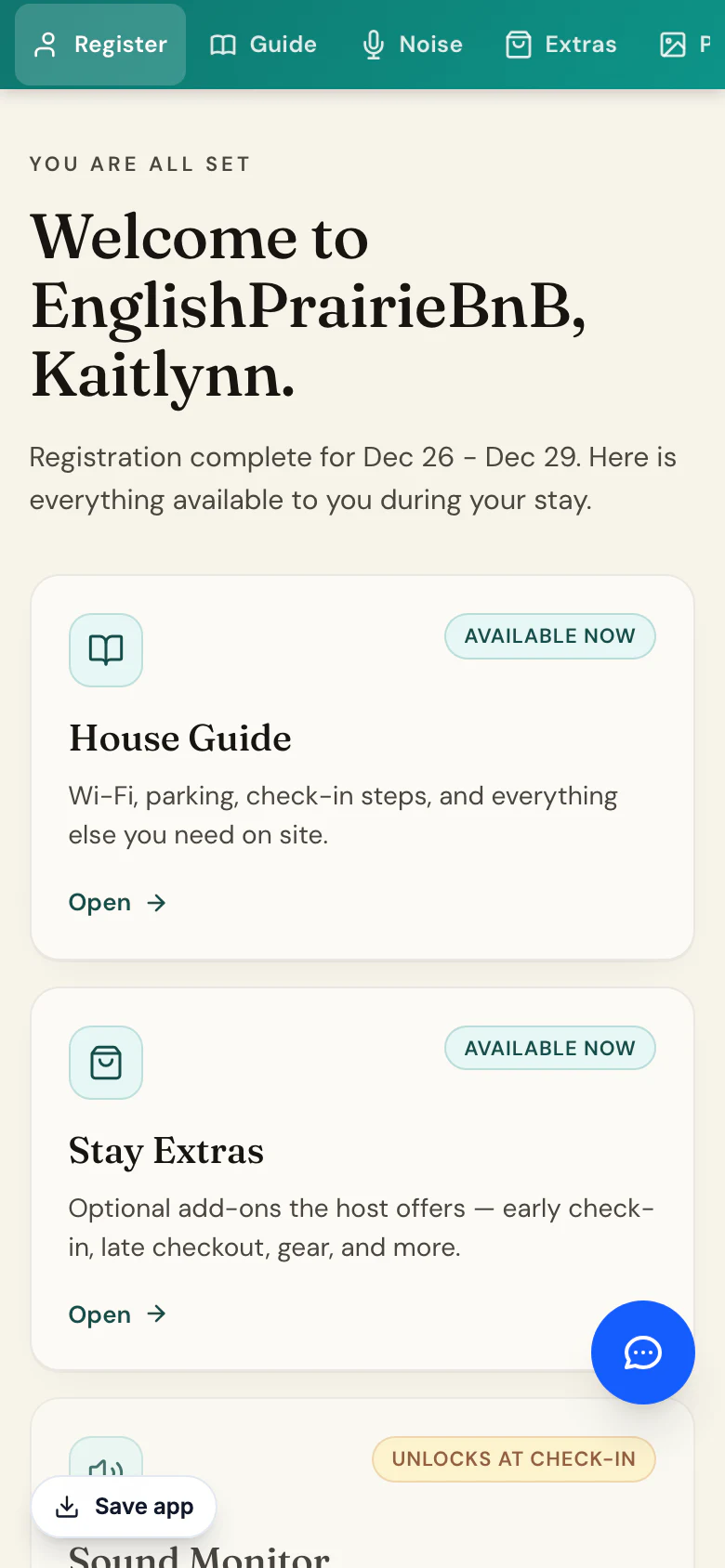
  5. Guest portal after registration: You are all set, with the House Guide and Stay Extras available now and the sound monitor unlocking at check-in.

    5 Unlocked. The manual, door access and extras open up.

A hold that covers the house rules, too.

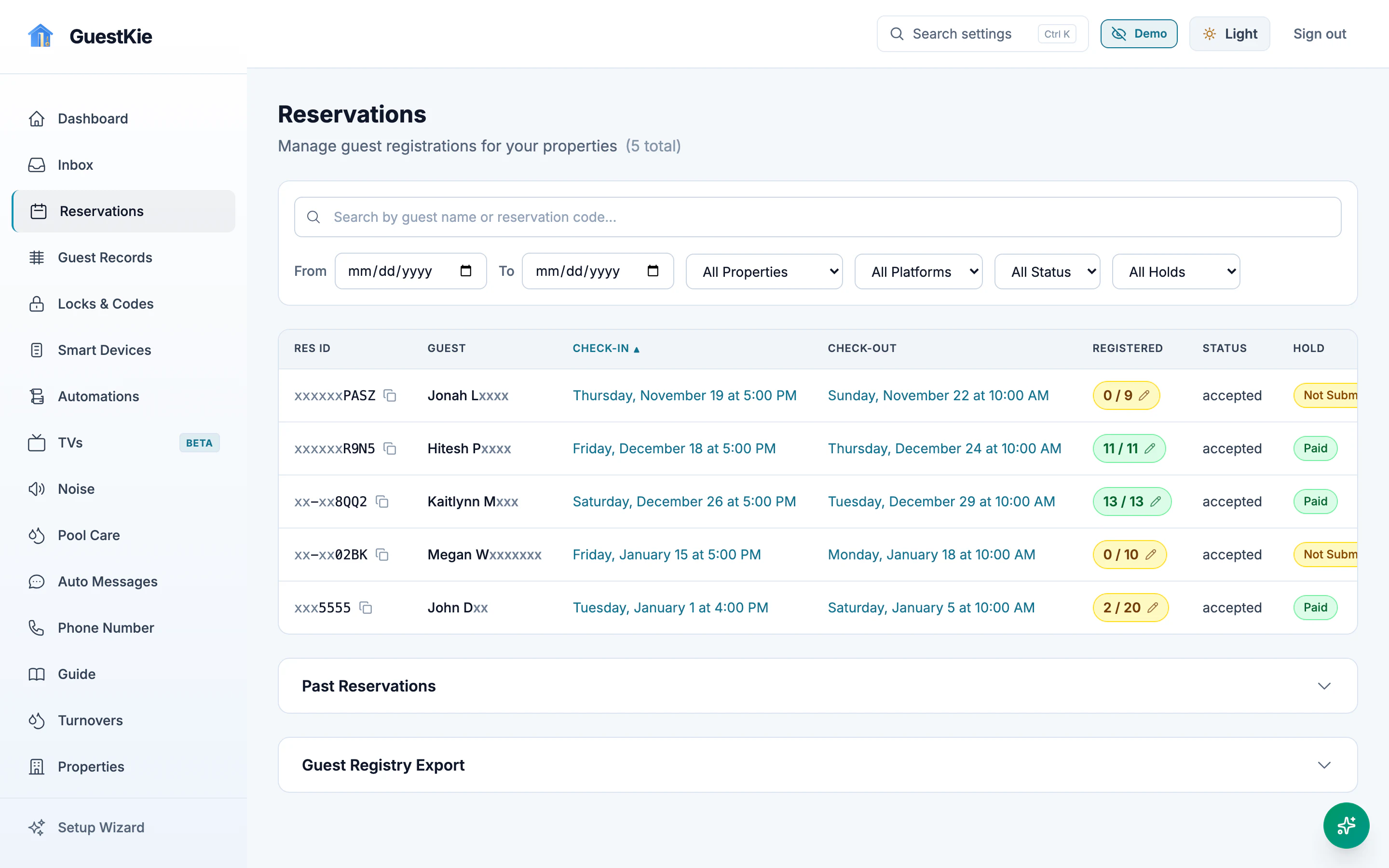
The refundable Host Safety & Compliance Hold works like a security deposit that also covers house-rule violations, not only broken things. It's collected through your own Stripe account before access opens, and you see who has registered and paid on every reservation.

Reservations list with check-in and check-out, registered count per reservation and hold status.
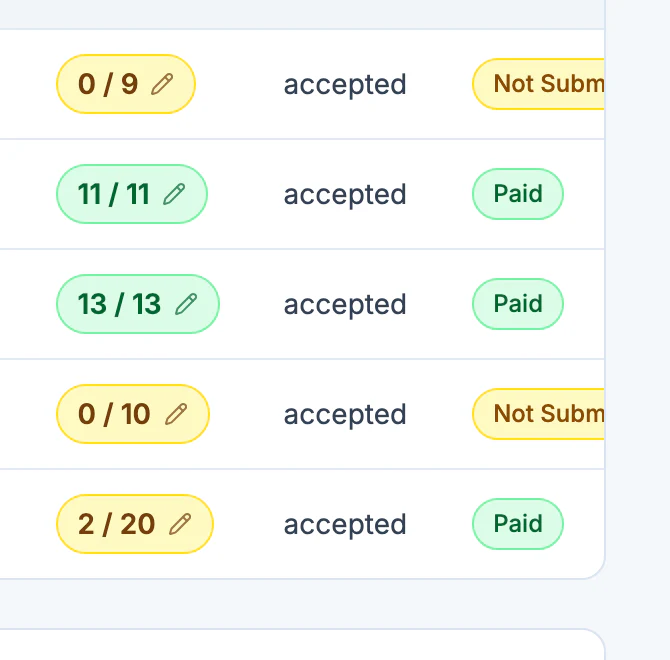
Close-up: registered counts such as 0 of 9 and 11 of 11, with hold status Paid or Not submitted.
Registered adults and hold status, per booking.

Sell the extras guests already ask for.

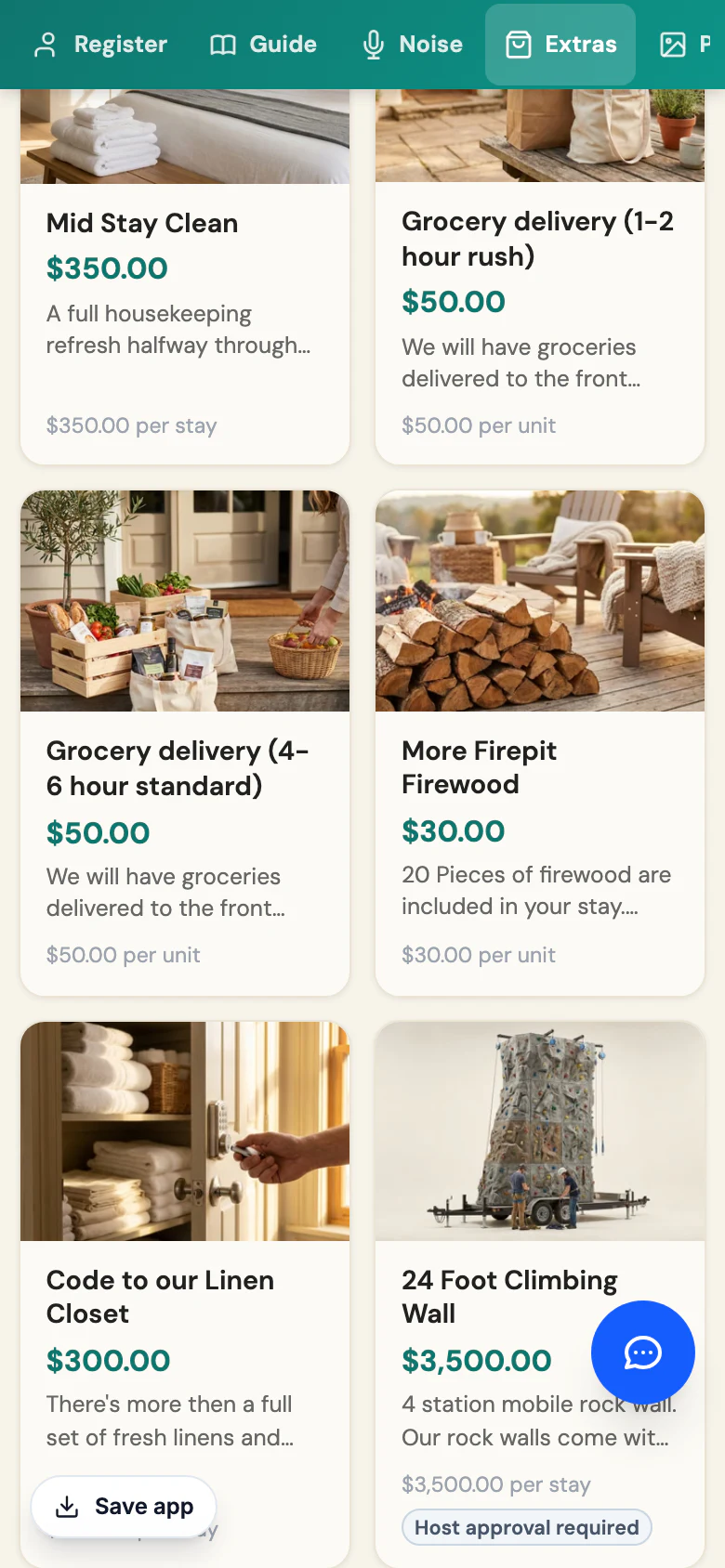
You set the prices. Guests pay straight into your Stripe account, and GuestKie keeps 1% (Stripe processing applies). Every reservation gets its own extras link, and guests who unlock the door from the guest manual pass your extras every time they come in.

Cancellation waiver
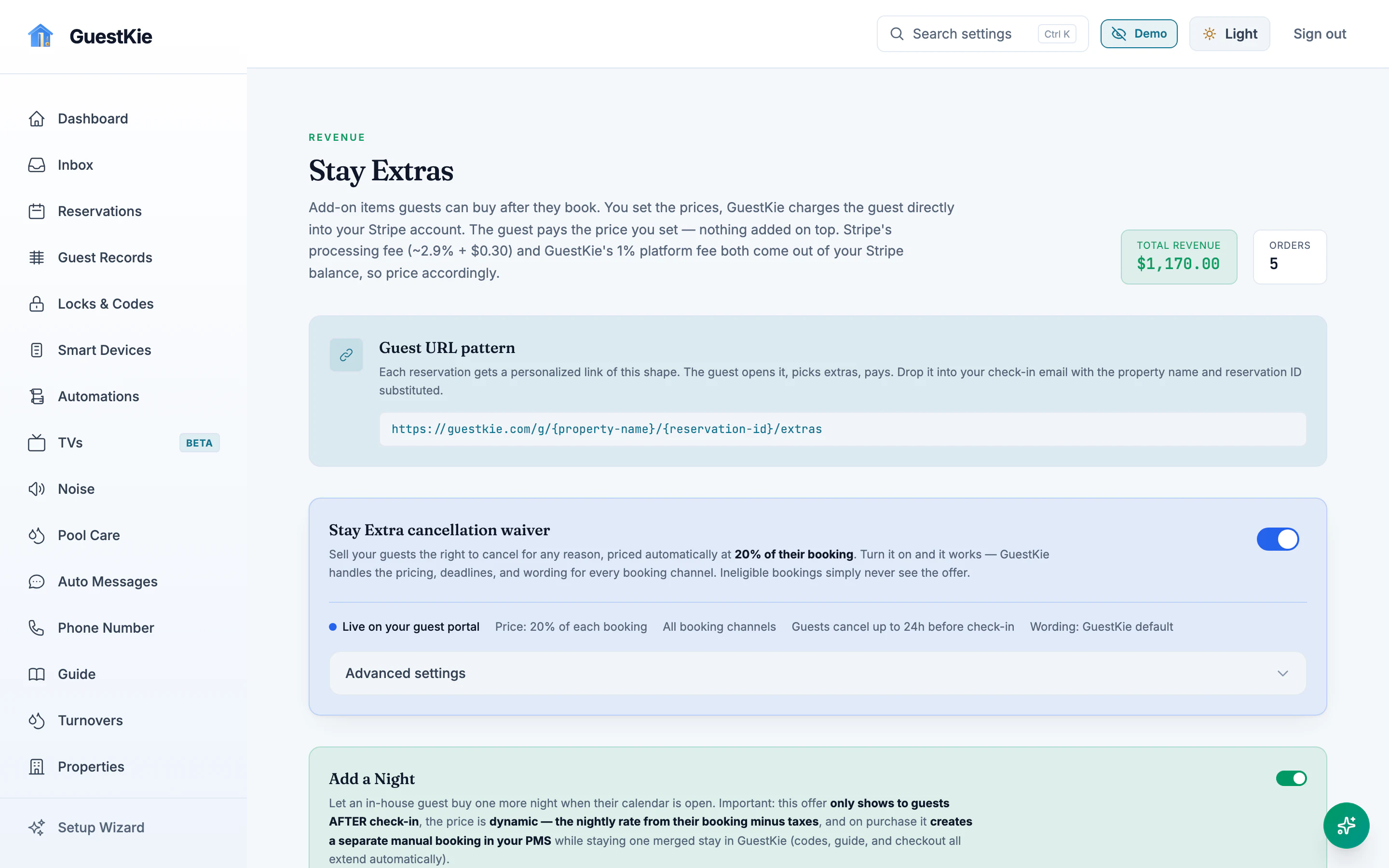
Priced at 20% of the booking. The guest can cancel up to 24 hours before check-in.
Add a Night
Dynamic price, offered only after check-in when the next night is open.
Your own extras
Firewood, late checkout, early check-in, pantry packs. An extra can switch on a device when it's bought.
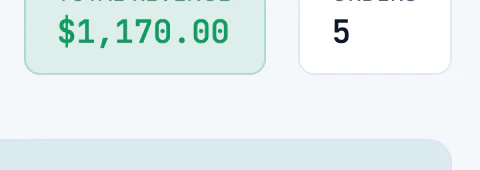
Stay Extras in the host dashboard: total revenue and orders tiles, the per-reservation guest URL pattern, the cancellation waiver at 20% of the booking, and Add a Night.
Close-up of the Stay Extras total revenue and orders tiles.
Revenue and orders at a glance.
The guest's extras page: add-ons with photos and prices, charged directly by the host.

A real phone number, with a gatekeeper.

Texts and calls to your number land in the same thread as everything else. You decide what happens when it rings.

  • Your own number, or port the one you have. Guests keep calling the number they already know.
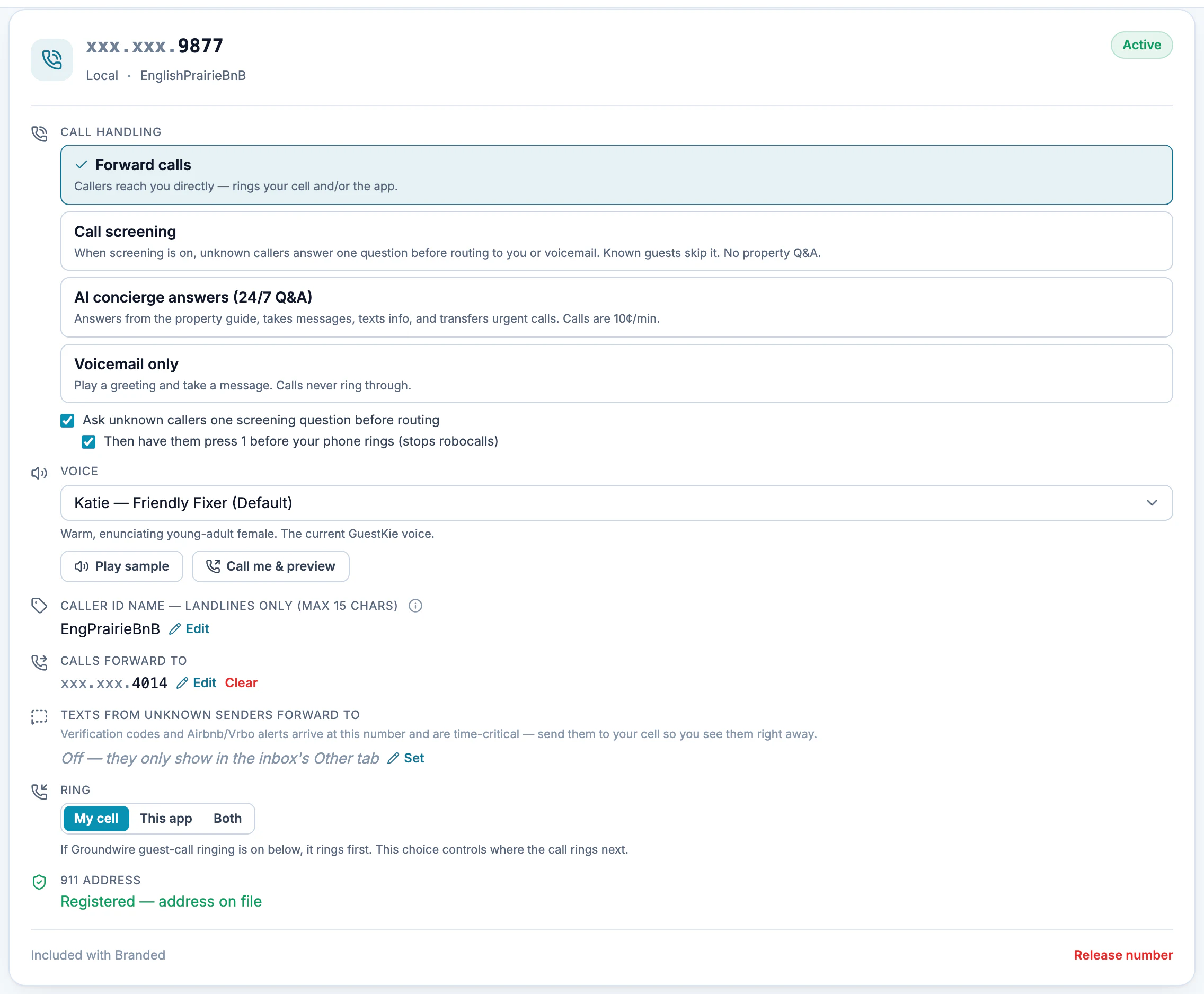
  • Pick how every call is handled. Forward to your cell or the app, screen unknown callers, let the AI answer, or send to voicemail.
  • AI answers 24/7 from your house guide. It takes messages, texts details to the caller, and transfers urgent calls to you.
  • Robocalls never ring your phone. Unknown callers answer one question, then press 1. Known guests skip it.
Phone number settings card: the GuestKie number, call handling modes (forward calls, call screening, AI concierge, voicemail only), the screening question and press-1 options, voice picker, caller ID name, ring targets and the registered 911 address.

Every call ends up in the thread.

  1. Someone calls your number.
  2. Known guests go straight through. Unknown callers answer one screening question, then press 1.
  3. You hear a short whisper summary before you pick up, or the AI concierge answers.
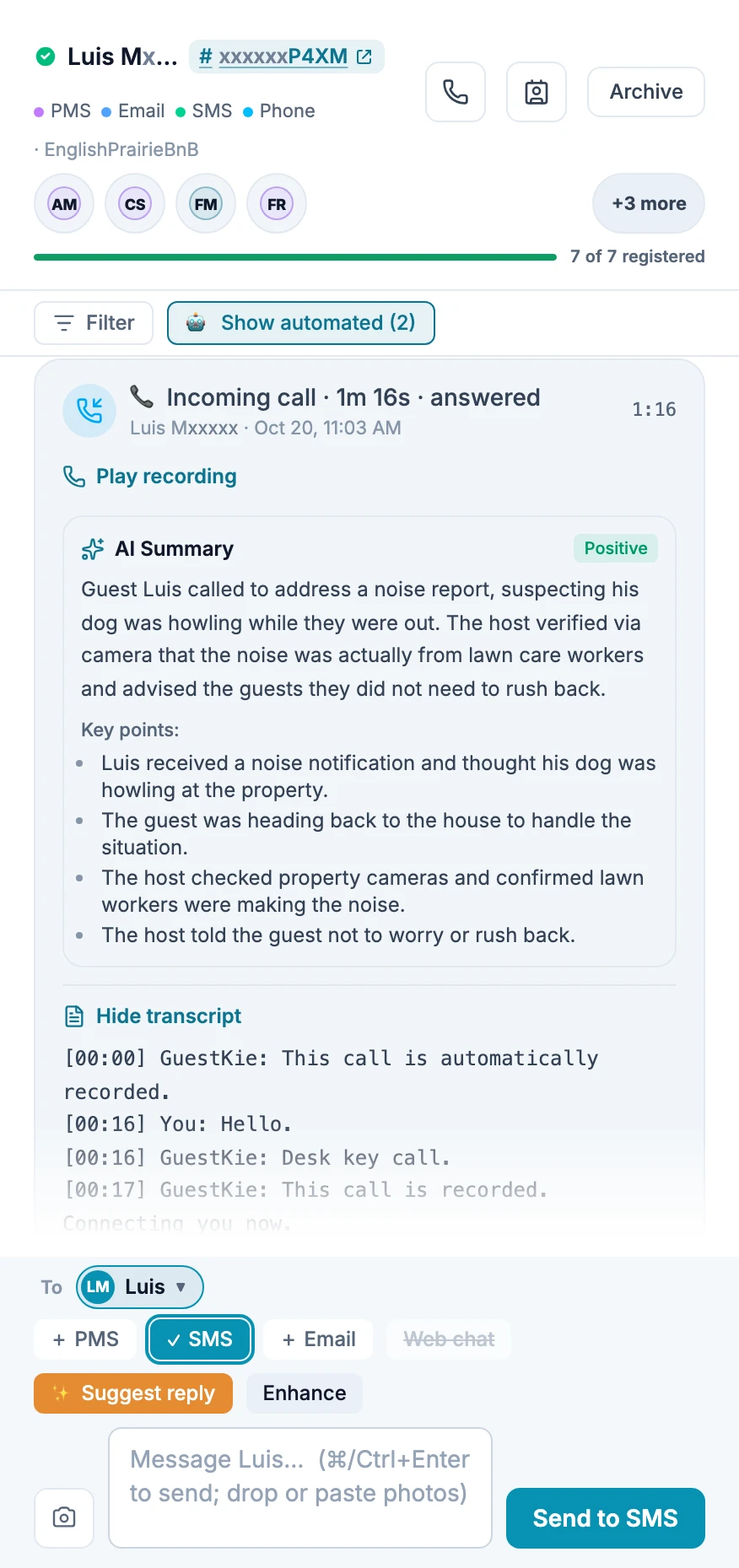
  4. The recording, an AI summary and the full transcript land in the guest's reservation thread, next to their texts and messages.
  5. Call any guest back from your browser, on your GuestKie number.
A guest's reservation thread: the header lists every channel for this guest (PMS, email, SMS, phone) with a call button; below, an incoming call with Play recording, an AI summary and the transcript; at the bottom, the reply box with PMS, SMS and email to choose from.
One thread per guest, every channel. Tap the phone icon to call them on your GuestKie number; the recording, AI summary and transcript land right back in this thread.

Your own booking site, from the listings you already have.

GuestKie builds a direct-booking page on your own domain from your listing photos, details and calendar. Add discount codes, a refundable hold and your cancellation policy. Pages are built for search engines to read.

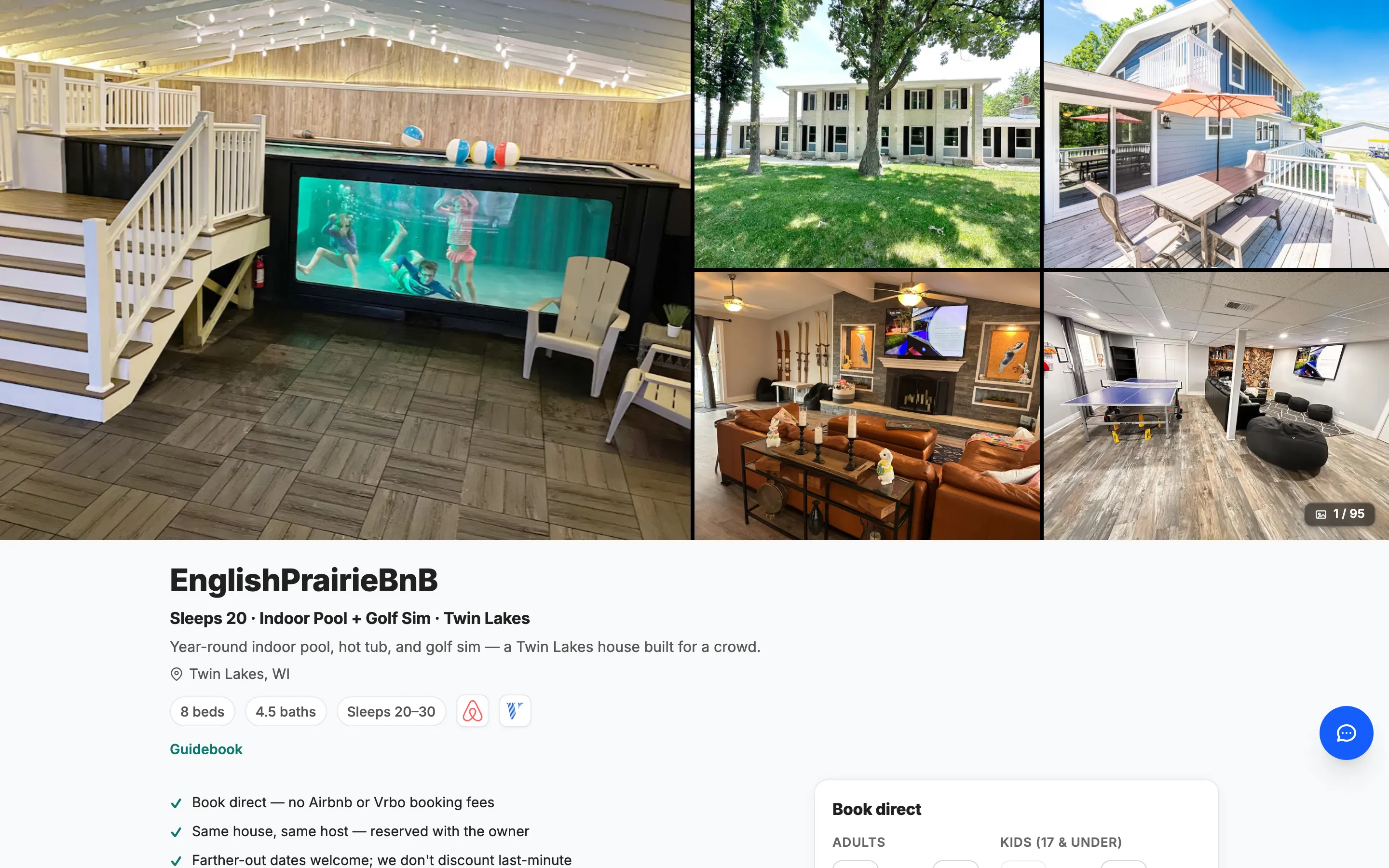
A live direct-booking page: photo gallery, property name and tagline, beds and baths, why-book-direct points and a Book direct panel.
All 12 adults register, the hold clears, then the doors open from the guest manual or with code 5555.

Open the door from the guest manual, or send a code.

How many guest manuals can open the front door?

Door codes are fully automatic: Seam sends each guest a code for almost any smart lock. With YoLink locks, guests can also tap Unlock right in the guest manual.

That second path pays off. Every time a guest opens the door from the manual, they see your house manual and your Stay Extras: more answers read, more extras sold, fewer "what's the Wi-Fi?" texts.

Either way, nothing opens until registration and the hold are done, and only during the stay. You choose which devices guests can control.

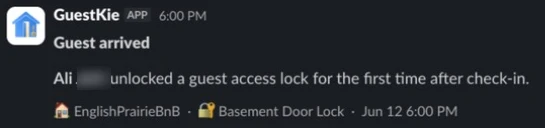
Slack message from GuestKie: Guest arrived. The guest unlocked a guest access lock for the first time after check-in, Basement Door Lock.
Know the moment they arrive. The first unlock, by code or from the guest manual, posts to Slack or Discord.
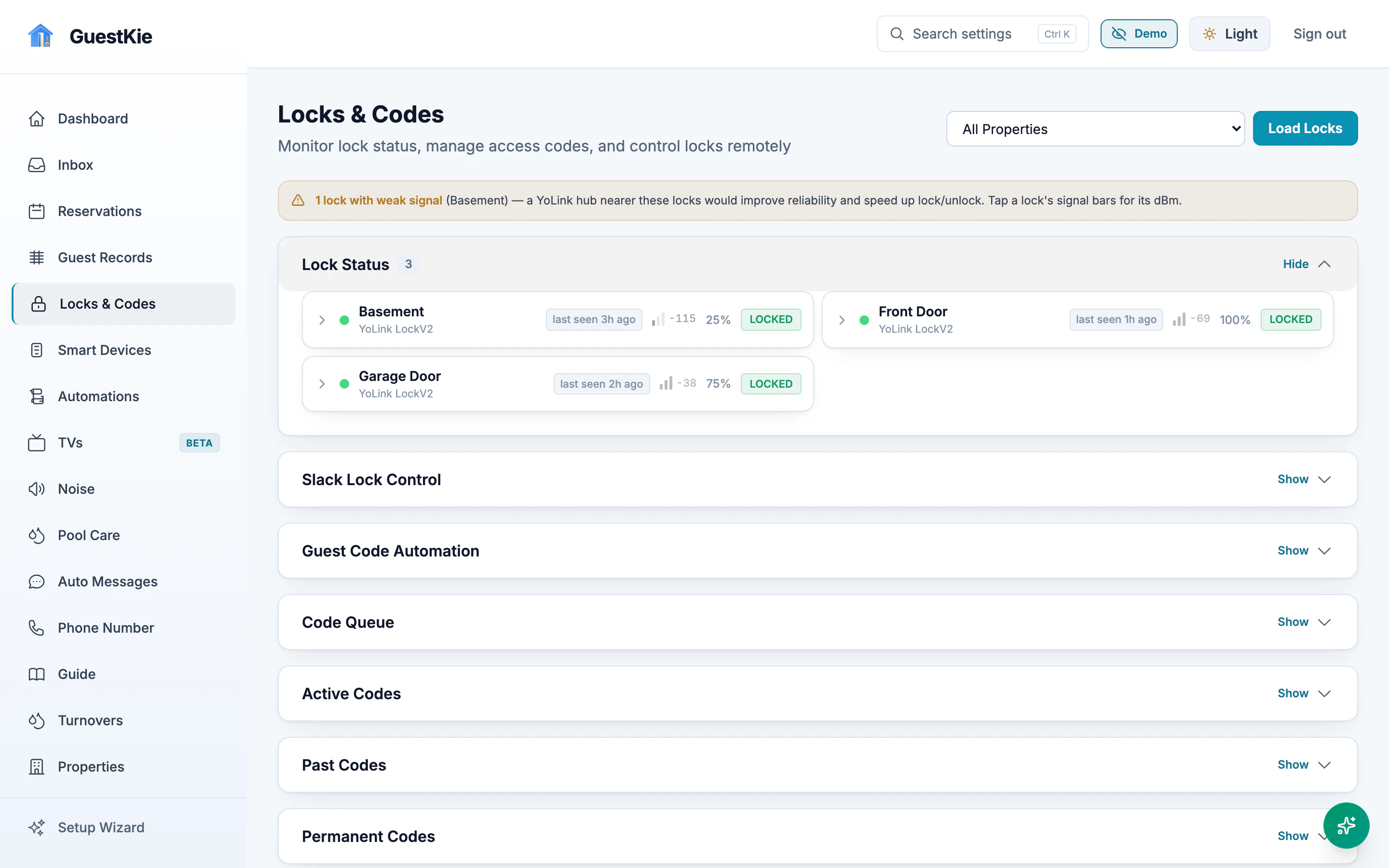
Locks and Codes: lock status, guest code automation, code queue and active codes.
Lock status rows: Basement, Front Door and Garage Door locked, with signal and battery levels.
Lock status, battery and signal, and every code GuestKie issued.
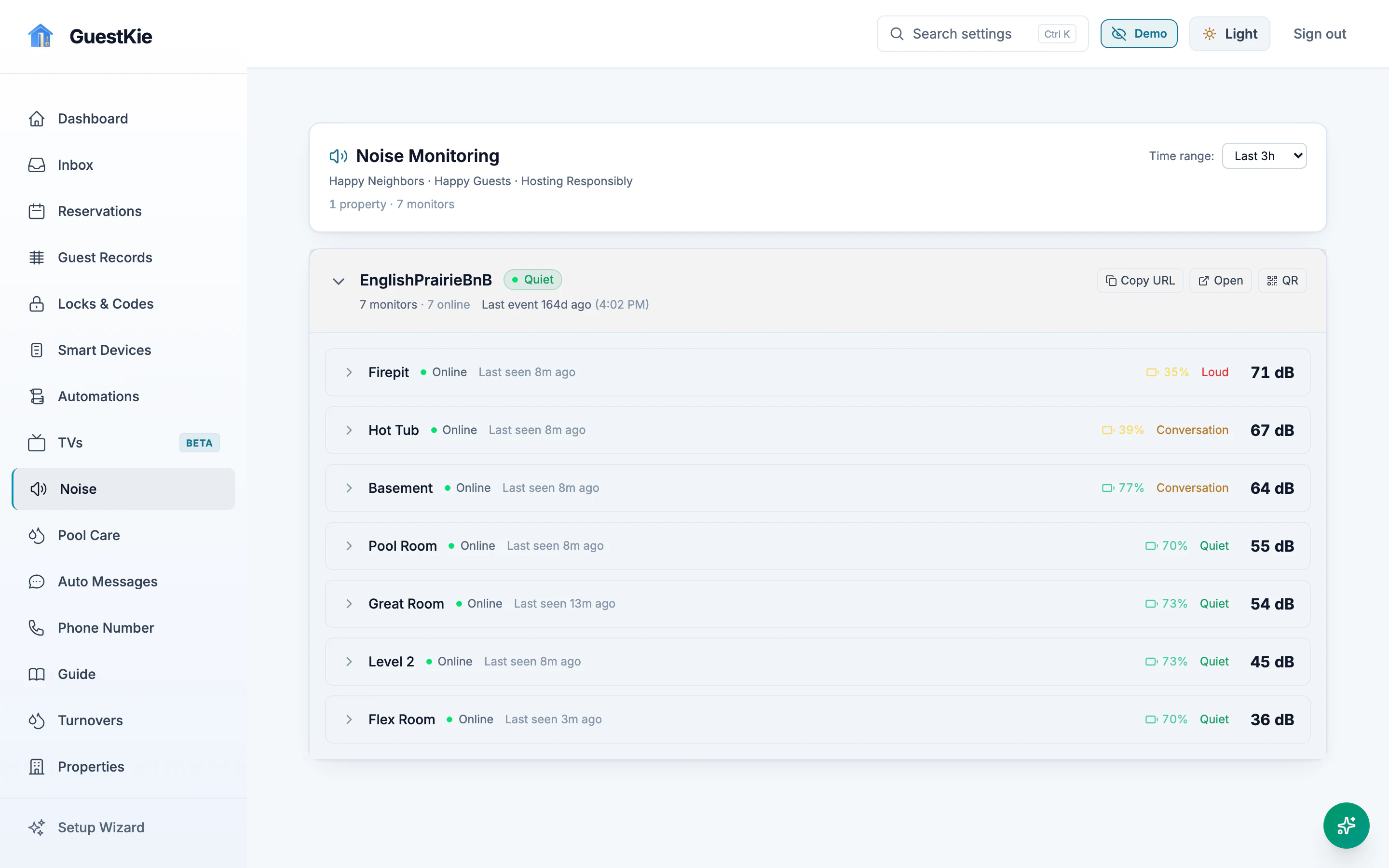
Noise monitoring: seven room sensors with live decibel readings and quiet or conversation levels.
Minut sensors connect directly; NoiseAware and Alertify through Seam. Guests see quiet hours; you hear about it first.

Only on GuestKie

A live noise dashboard your guests can see.

Would your guests turn it down if they could see it?

Other tools watch for noise and warn you after the fact. GuestKie gives the house its own live noise page. Every room is on it, measured against your day and night limits.

Put it on a tablet in the house, or share the link or QR code with your guests. They see the hot tub creeping toward the limit and turn it down themselves, before a neighbor calls.

With Minut, every registered guest is added to the stay, so if it goes over, they all get the text and the automated call, and you hear about it too. Every reading is kept for the stay. Minut connects directly; NoiseAware and Alertify connect through Seam.

Then every guest’s phone lights up, not just the booker’s.

Everyone who registered for the stay gets the noise text and the automated call, so the person standing next to the hot tub hears it too.

The guest layer your PMS doesn't have.

Keep your PMS. GuestKie syncs reservations from Hospitable (Airbnb, VRBO, Booking.com) or iCal and adds the guest side.

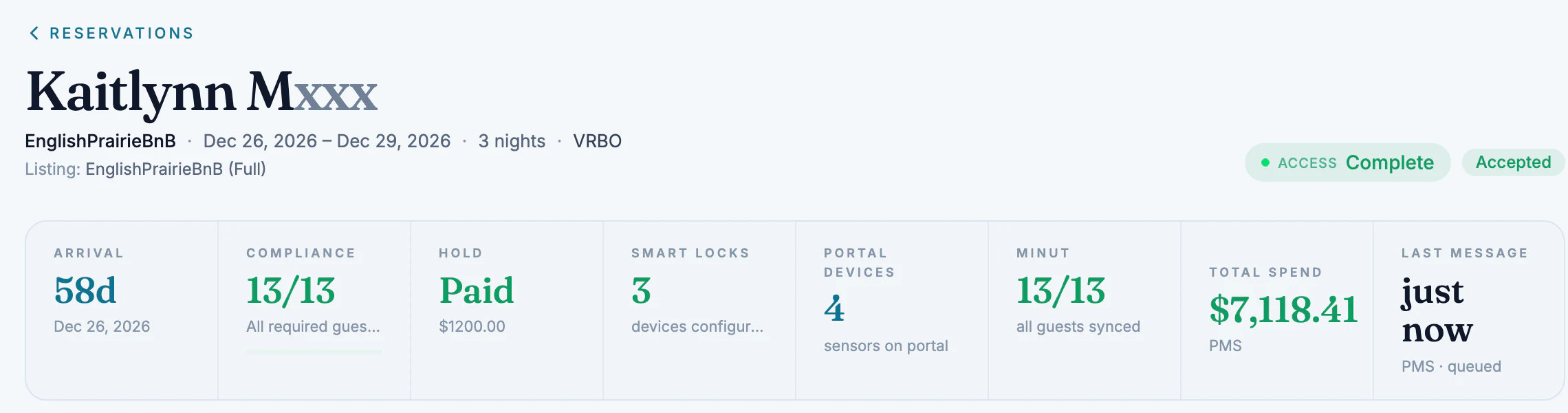
Reservation detail header: guest name, dates, VRBO, access complete, and stats for arrival in 58 days, compliance 13 of 13, hold paid $1200, 3 smart locks, 4 portal devices, Minut 13 of 13 and total spend $7,118.41.
Every reservation at a glance: registration, hold, locks, devices and what the guest has spent.
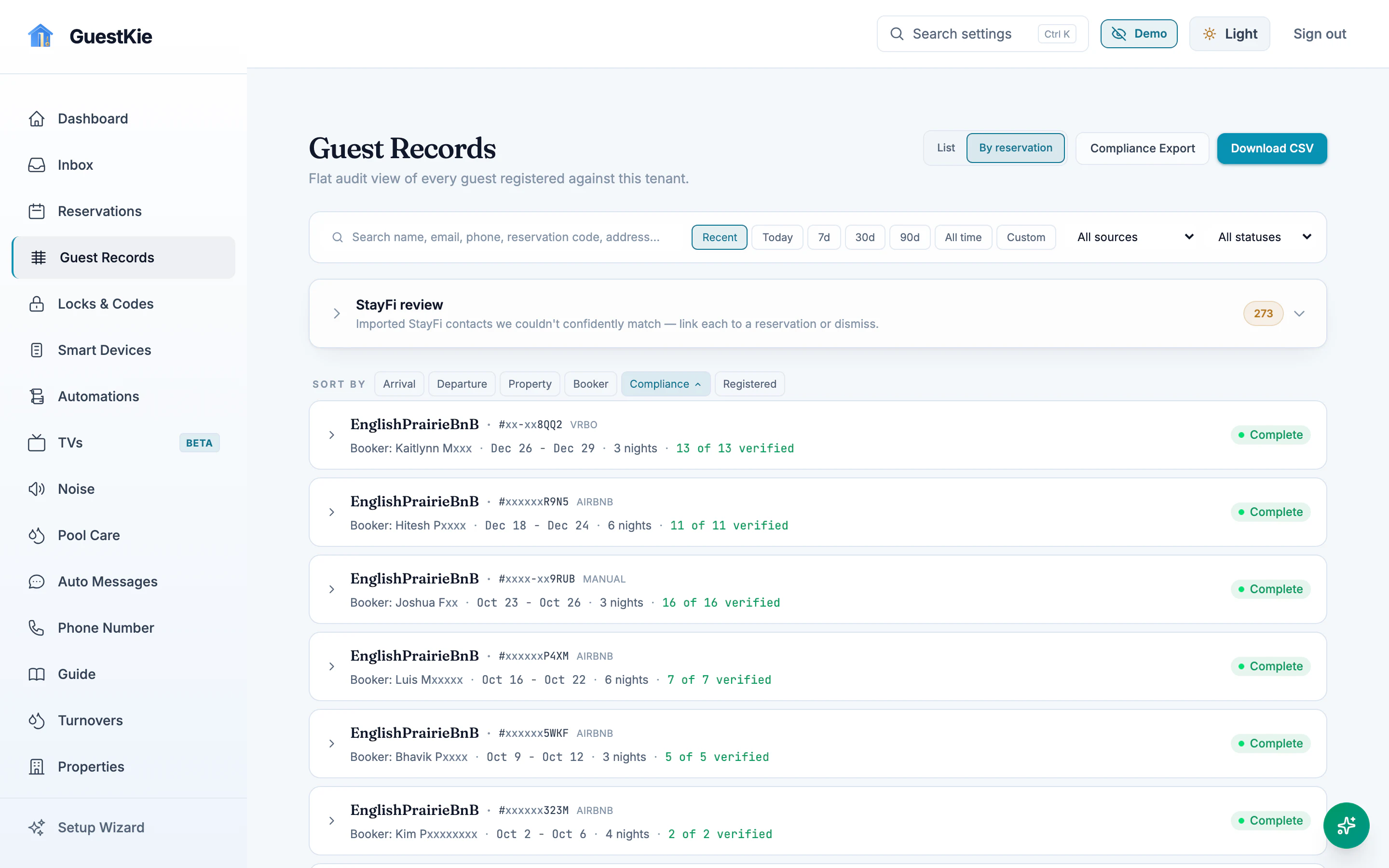
Guest records grouped by reservation, each marked complete with its verified count, plus compliance export and CSV download.
A guest registry you can export when the county asks.
  • Whole-house and single-room listings that share one calendar and one knowledge base
  • Guest TV apps for Fire TV and Android TV
  • Turnovers with a portal for your cleaners
  • Automations and scheduled messages
  • Slack and Discord alerts for messages, bookings and arrivals
  • MCP access so your own AI agents can work in GuestKie
  • A free guest manual for every property you have

Become a founding customer.

Founding customers work with the founder directly and get a real say in what gets built next.

I'm a short-term-rental host. I run EnglishPrairieBnB on Hospitable, and I love it. I didn't build GuestKie to replace my PMS. I built it to give my PMS superpowers.

So I built the things no one else was: one inbox for every channel on my own number, calls that land in the guest's thread, registration and a compliance hold that gate the front door, a live noise page guests can see, and Stay Extras.

Your PMS: GuestKie is tested every day on Hospitable. If yours has a self-service API, and most do on their premium plans, we can connect it and set it up for you. Any other calendar syncs by iCal.

If you host and something slows you down, tell me. If you can dream it, we can build it.

Mike ClintonHost, EnglishPrairieBnB. Builder, GuestKie.

Three plans. No sales call.

Free guest manual

$0 unlimited properties

A responsive guest manual for every property. No inbox, registration or devices.

Start free guest manual

Core

$10 per bookable property, per month

The inbox, AI guest chat, registration and Compliance Hold, door access, the live noise page and Stay Extras. Guests hear from GuestKie's number and email, on your behalf.

Start GuestKie Core

Branded

$20 per bookable property, per month

Everything in Core under your own business identity: your own phone number for texts and calls both ways, calls and voicemail in your inbox, and a custom domain with branded email. 200 texts a month included per property, then 2¢ each; replies free; calls 10¢/min. Yours to keep if you leave.

Sign up for Branded

Full pricing details